
Calculate Apex Legends eDPI, hipfire cm/360, and suggested per optic ADS multipliers for 1x, 2x, 3x, 4x, 6x, 8x, and 10x scopes.
Apex ADS Sensitivity Calculator
eDPI
1200
Hipfire cm/360
34.6 cm
Inches/360
13.6 in
| Optic | FOV Scale | ADS Multiplier | ADS cm/360 | Status |
|---|
How to use these results
- Enter your real Apex DPI and hipfire sensitivity.
- Enable Per Optic ADS Sensitivity in Apex settings.
- Copy the suggested multiplier for each scope.
- Test 1x, 2x, and 3x first because they matter most in fights.
- Keep 6x, 8x, and 10x slightly slower if long range aim feels shaky.
An Apex ADS sensitivity calculator helps you find better aim down sight settings for every optic in Apex Legends. It is useful when your hipfire aim feels good, but your 2x, 3x, 4x, 6x, 8x, or 10x scope feels too slow, too fast, or hard to control.
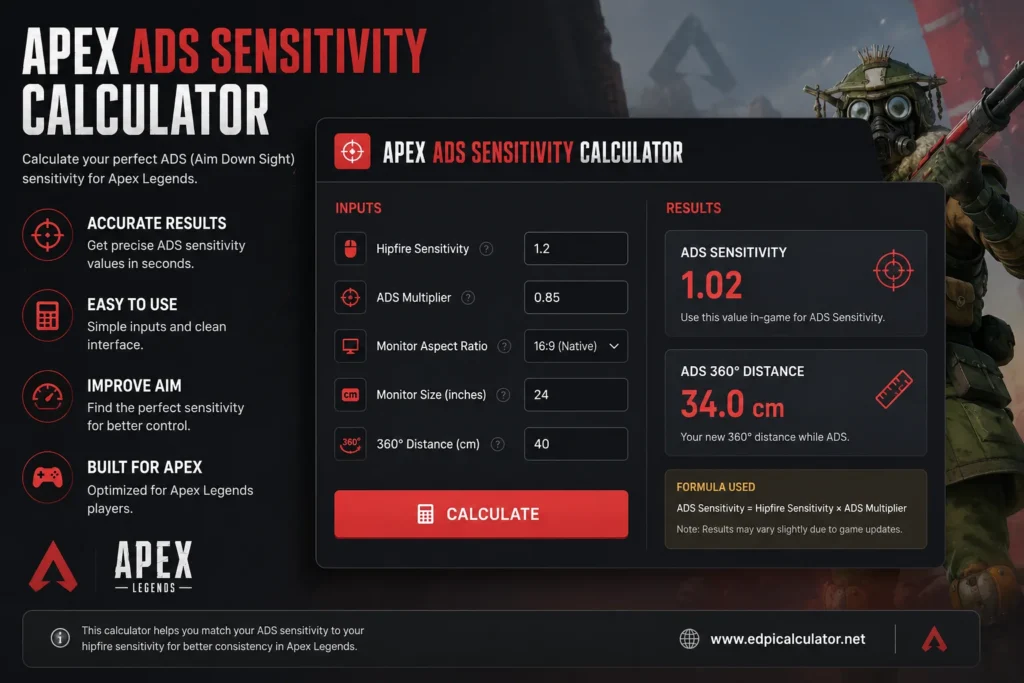
Apex Legends uses hipfire sensitivity, mouse DPI, ADS multiplier, FOV, and per optic sensitivity settings. Because every scope changes your field of view, the same mouse movement can feel different when you aim down sights. That is why many players use an Apex ADS sensitivity calculator to match their scope feel more closely. Must Visit this Simple Mouse Acceleration Test .
What Is Apex ADS Sensitivity?
ADS sensitivity means aim down sight sensitivity. It controls how fast your aim moves when you right click and use a sight, scope, or optic.
In Apex Legends, hipfire and ADS do not always feel the same because scopes change the zoom level. A 1x sight feels close to hipfire, while a 4x, 6x, 8x, or 10x scope feels slower because your field of view becomes narrower.
Apex ADS sensitivity affects:
- Tracking enemies while scoped
- Controlling recoil with ARs and LMGs
- Using 2x and 3x optics in mid range fights
- Sniping with 6x, 8x, and 10x scopes
- Wingman, marksman, and scout rifle accuracy
- Muscle memory between hipfire and ADS
What Is an Apex ADS Sensitivity Calculator?
An Apex ADS sensitivity calculator estimates the best ADS multiplier for your DPI, hipfire sensitivity, FOV, and optic zoom. It can also show your eDPI, cm per 360, inches per 360, and recommended per optic ADS values.
The goal is simple. If your hipfire sensitivity already feels good, the calculator helps you make your ADS scopes feel more consistent.
A good calculator should include:
- Mouse DPI
- Apex hipfire sensitivity
- Apex FOV
- ADS multiplier
- Per optic sensitivity
- eDPI
- cm per 360
- 1x, 2x, 3x, 4x, 6x, 8x, and 10x scope values
How Apex ADS Sensitivity Works
Apex Legends is built on Source engine style sensitivity behavior. Many sensitivity tools use a yaw value of 0.022 for Apex hipfire calculations. This is the same base yaw value commonly used for Source style FPS sensitivity calculations.
The simple hipfire formula is:
eDPI = mouse DPI × Apex sensitivity
For example:
- 400 DPI × 2.0 sensitivity = 800 eDPI
- 800 DPI × 1.0 sensitivity = 800 eDPI
- 1600 DPI × 0.5 sensitivity = 800 eDPI
All three settings have the same eDPI, so the hipfire turn speed should feel similar. But the DPI and sensitivity split can still change the feel of tiny mouse movements.
Why ADS Feels Different in Apex Legends
ADS feels different because every optic changes your view. When your FOV narrows, your mouse movement covers less visible screen space. This can make higher zoom scopes feel slower than hipfire, even when your ADS multiplier is set to 1.0.
This is why players often say:
- 1x feels normal
- 2x feels slightly slower
- 3x feels slower in tracking fights
- 4x can feel heavy
- 6x, 8x, and 10x feel much slower
That slower feel is not always bad. Sniper scopes often benefit from lower sensitivity because small aim corrections become easier at long range.
Apex Per Optic ADS Sensitivity
Apex Legends lets you adjust ADS sensitivity for different optic levels. This is called per optic ADS sensitivity.
Common Apex optic groups include:
- 1x optics and iron sights
- 2x HCOG Bruiser
- 3x HCOG Ranger
- 4x optics
- 6x sniper scope
- 8x sniper scope
- 10x digital sniper scope
Per optic settings are useful because you may want your 1x and 2x scopes to feel close to hipfire, while keeping 6x and 8x scopes slower for long range precision.
Recommended Apex ADS Sensitivity Starting Points
There is no perfect setting for everyone, but these values are a useful starting point for mouse and keyboard players.
Balanced ADS setup
- 1x: 1.0
- 2x: 1.0 to 1.1
- 3x: 1.1 to 1.2
- 4x: 1.2 to 1.4
- 6x: 1.4 to 1.6
- 8x: 1.5 to 1.8
- 10x: 1.5 to 2.0
Tracking focused setup
- 1x: 1.0
- 2x: 1.1
- 3x: 1.2
- 4x: 1.3
- 6x: 1.5
- 8x: 1.6
- 10x: 1.7
Precision focused setup
- 1x: 0.9 to 1.0
- 2x: 0.9 to 1.0
- 3x: 1.0 to 1.1
- 4x: 1.1 to 1.2
- 6x: 1.2 to 1.4
- 8x: 1.3 to 1.5
- 10x: 1.4 to 1.6
If you are not sure where to start, keep 1x at 1.0, then slowly raise 2x and 3x until tracking feels natural.
Apex ADS Sensitivity Calculator Formula
The basic sensitivity formula is:
eDPI = DPI × in game sensitivity
To estimate hipfire cm per 360:
cm/360 = 360 ÷ (yaw × sensitivity × DPI) × 2.54
For Apex, many calculators use:
Yaw = 0.022
Example calculation
- DPI: 800
- Apex sensitivity: 1.5
- Yaw: 0.022
First calculate eDPI:
800 × 1.5 = 1200 eDPI
Then estimate cm per 360:
360 ÷ (0.022 × 1.5 × 800) × 2.54 = 34.64 cm/360
This means you need about 34.64 cm of mouse movement to turn 360 degrees in hipfire.
Best DPI and Sensitivity for Apex Legends
Many Apex mouse and keyboard players use 400 DPI or 800 DPI. Some modern players prefer 1600 DPI with lower in game sensitivity because it can feel smoother for small inputs.
Common Apex sensitivity ranges
- 400 DPI with 1.6 to 2.4 sensitivity
- 800 DPI with 0.8 to 1.4 sensitivity
- 1600 DPI with 0.4 to 0.7 sensitivity
Common eDPI range
- Low sensitivity: 600 to 900 eDPI
- Medium sensitivity: 900 to 1300 eDPI
- High sensitivity: 1300 to 1800 eDPI
Apex is a fast tracking game, so many players use a slightly higher sensitivity than tactical shooters like Valorant or CS2.
Should You Use 1:1 ADS Sensitivity in Apex?
Some players want their ADS cm per 360 to match hipfire exactly. This is often called 1:1 sensitivity. It can feel good for lower zoom optics, especially 1x, 2x, and 3x.
But true 1:1 is not always possible or always useful for high zoom scopes. Some calculators show that higher zoom optics may need very high multipliers to match hipfire distance. Apex also limits multiplier behavior, so 6x, 8x, and 10x scopes may still feel slower.
1:1 ADS can help if:
- You want consistent mouse distance across scopes
- You use 1x, 2x, and 3x optics often
- You rely on tracking more than flicking
- You want fewer sensitivity surprises between weapons
Lower ADS can help if:
- You use sniper scopes often
- You overflick while scoped
- You struggle with long range precision
- You want steadier recoil control
Best Apex ADS Sensitivity for 800 DPI
800 DPI is one of the easiest DPI values to tune in Apex Legends. It gives enough input detail while keeping desktop movement comfortable.
Good starting settings for 800 DPI
- Hipfire sensitivity: 1.0 to 1.5
- eDPI: 800 to 1200
- 1x ADS: 1.0
- 2x ADS: 1.0 to 1.1
- 3x ADS: 1.1 to 1.2
- 4x ADS: 1.2 to 1.4
- 6x and above: test between 1.3 and 1.8
If your close range tracking feels good but scoped aim feels slow, raise your 2x and 3x values first. Do not change every optic at once.
Best Apex ADS Sensitivity for 400 DPI
400 DPI is still common among FPS players. It can feel stable, but very low DPI with high sensitivity may feel less smooth for tiny aim adjustments.
Good starting settings for 400 DPI
- Hipfire sensitivity: 1.6 to 2.4
- eDPI: 640 to 960
- 1x ADS: 1.0
- 2x ADS: 1.0 to 1.1
- 3x ADS: 1.1 to 1.2
- 4x ADS: 1.2 to 1.3
If your aim feels rough, try 800 DPI and cut your sensitivity in half. Your eDPI stays the same, but small movements may feel cleaner.
Best Apex ADS Sensitivity for 1600 DPI
1600 DPI can feel smooth when paired with low in game sensitivity. It is a good choice for players who want cleaner small input without changing their overall turn speed.
Good starting settings for 1600 DPI
- Hipfire sensitivity: 0.4 to 0.75
- eDPI: 640 to 1200
- 1x ADS: 1.0
- 2x ADS: 1.0 to 1.1
- 3x ADS: 1.1 to 1.2
- 4x ADS: 1.2 to 1.4
If 1600 DPI feels too fast on desktop, lower your Windows pointer speed or use mouse software profiles.
How to Use an Apex ADS Sensitivity Calculator
- Enter your mouse DPI.
- Enter your Apex hipfire sensitivity.
- Enter your Apex FOV.
- Select the optic you want to tune.
- Check your eDPI and cm per 360.
- Apply the suggested ADS multiplier in Apex settings.
- Test the setting in the Firing Range.
- Adjust one optic at a time.
Testing tip
Pick one weapon and one optic while testing. For example, use an R301 with 2x or Flatline with 3x. Track moving targets in the Firing Range and watch whether you undertrack or overtrack.
How to Know If Your ADS Sensitivity Is Too Low
- You cannot keep up with strafing enemies
- Your 2x or 3x tracking feels heavy
- You run out of mousepad while ADS
- Your recoil control feels delayed
- You miss targets because your scope moves too slowly
How to Know If Your ADS Sensitivity Is Too High
- You overflick while scoped
- Your crosshair shakes during tracking
- Long range sprays feel unstable
- Sniper aim feels twitchy
- You struggle to hold angles with 3x or 4x
Best Way to Tune Apex ADS Sensitivity
Do not copy every pro setting blindly. Use pro settings as a range, then tune around your mousepad size, grip style, hand speed, and comfort.
A simple tuning method
- Set hipfire sensitivity first
- Keep 1x ADS at 1.0
- Test 2x and 3x next because they are used most often
- Raise ADS if you undertrack enemies
- Lower ADS if your aim shakes or overshoots
- Keep sniper scopes slightly slower if you want better precision
- Test each change for several matches before changing again
Apex ADS Sensitivity for Tracking
Apex has more tracking than many tactical FPS games. Enemies slide, strafe, climb, tap strafe, and use movement abilities. Because of that, your ADS sensitivity should not feel too slow.
Tracking focused players usually prefer:
- Medium hipfire sensitivity
- 1x ADS close to 1.0
- 2x ADS slightly above 1.0
- 3x ADS around 1.1 to 1.2
- Steady mousepad space for long sprays
Apex ADS Sensitivity for Recoil Control
Recoil control in Apex depends on both aim movement and weapon pattern control. If ADS sensitivity is too high, recoil can feel shaky. If it is too low, you may struggle to pull down and track at the same time.
For recoil control, test these weapons:
- R301
- Flatline
- Nemesis
- Havoc
- Volt
- CAR SMG
Use the same optic during testing. A 2x or 3x optic is best for checking mid range recoil control.
Common Apex ADS Sensitivity Mistakes
- Changing DPI, hipfire, and ADS at the same time
- Copying one pro player without checking eDPI
- Using very high ADS for sniper scopes
- Leaving FOV out of sensitivity testing
- Testing only in close range fights
- Changing settings after every bad match
- Ignoring mousepad size and arm movement
Should Controller Players Use an Apex ADS Sensitivity Calculator?
This article is mainly for mouse and keyboard players. Controller ADS sensitivity works differently because it uses look sensitivity, ADS look sensitivity, response curve, deadzone, and advanced look controls.
Controller players can still use the idea of per optic tuning, but mouse DPI and cm per 360 do not apply to controller aim.
FAQs
What is an Apex ADS sensitivity calculator?
An Apex ADS sensitivity calculator helps you find ADS and per optic sensitivity values based on your DPI, hipfire sensitivity, FOV, and scope zoom.
What is the best ADS sensitivity for Apex Legends?
Most players should start with 1.0 ADS for 1x, then test slightly higher values for 2x and 3x. Long range scopes often feel better with slower, more controlled movement.
Should Apex ADS sensitivity be 1.0?
1.0 is a good starting point, especially for 1x optics. For 2x, 3x, and higher zoom scopes, some players prefer higher per optic values because scoped aim can feel slower.
What DPI is best for Apex Legends?
400, 800, and 1600 DPI are all common. 800 DPI is a safe starting point for most players.
What is a good eDPI for Apex Legends?
Many mouse and keyboard players sit around 600 to 1300 eDPI. Faster players may go higher, but control becomes harder if eDPI is too high.
Does FOV affect ADS sensitivity in Apex?
Yes. FOV changes how your aim feels on screen. Higher or lower FOV can change how scoped movement feels, especially when using different optics.
Should I use per optic ADS sensitivity?
Use per optic ADS sensitivity if some scopes feel too slow or too fast. It is especially useful for 2x, 3x, 4x, and sniper optics.
Is 1:1 ADS sensitivity best in Apex?
Not always. It can feel good for low zoom optics, but higher zoom scopes often benefit from slower movement for precision.
Why does my Apex ADS feel slow?
Your ADS may feel slow because higher zoom optics reduce visible FOV. Raising per optic sensitivity can help, especially for 2x and 3x scopes.
How do I improve Apex tracking aim?
Use a comfortable eDPI, keep ADS sensitivity controllable, practice with 2x and 3x optics, and test tracking in the Firing Range before changing settings again.
Useful External References
For a practical ADS tool example, see the Apex ADS Sensitivity Calculator by eDPI Calculator. It shows per optic multiplier ideas and explains why high zoom scopes may feel capped or slower.
For general Apex sensitivity conversion, the Apex Legends Mouse Sensitivity Converter shows DPI, eDPI, cm per 360, FOV, yaw value, and ADS scope data.
For converting between FPS games, Sens Converter is useful when moving from Valorant, CS2, Overwatch, Fortnite, or another shooter into Apex Legends.
For community discussion about Apex settings, visit the Apex Legends Reddit. It has player conversations about per optic sensitivity, ADS feel, and mouse settings.
Final Thoughts
An Apex ADS sensitivity calculator is useful because Apex has many aim situations. You need hipfire for close fights, 1x and 2x for fast tracking, 3x and 4x for mid range beams, and sniper optics for long range precision.
Start with a comfortable hipfire sensitivity first. Then tune ADS one optic at a time. Keep 1x close to 1.0, test 2x and 3x carefully, and avoid making sniper scopes too fast unless you can control them.
The best Apex ADS sensitivity is not the highest number or the most copied pro setting. It is the setting that lets you track smoothly, control recoil, and stay calm when fights get messy.