
Corsair eDPI Calculator
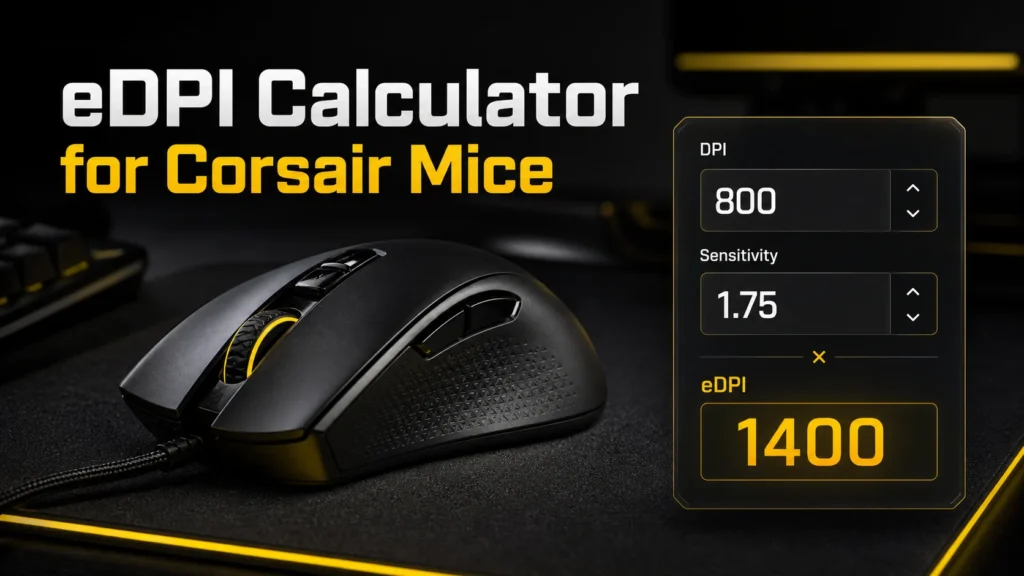
Calculate your effective DPI from your Corsair mouse DPI and in game sensitivity.
Quick Guide
- eDPI = DPI multiplied by game sensitivity.
- Lower eDPI gives steadier aim for tactical shooters.
- 800 DPI is a balanced starting point for many Corsair mice.
- Keep one DPI profile while testing sensitivity.
Free eDPI Calculator for Corsair Mice. Instantly convert your DPI and in game sensitivity into one accurate eDPI number. Find your ideal settings for Valorant, CS2, Apex, and more.
If you own a Corsair mouse and you’re trying to nail down the sensitivity that actually fits your playstyle, you’ve probably run into the term eDPI. It sounds technical, but once you understand it, dialing in your settings becomes a five minute job instead of weeks of guessing.Check Out this Mouse Input Latency Test.
This guide breaks down what eDPI means, how to calculate it for any Corsair mouse, and what ranges work best depending on the game you play.
What Is eDPI and Why It Matters
eDPI stands for effective dots per inch. It combines your mouse DPI setting with your in game sensitivity multiplier to give you one single number that represents your true aiming speed.
Here’s why gamers care about it so much:
- Two players can use completely different DPI and in game sensitivity values yet end up with the exact same eDPI, meaning their cursor or crosshair moves at the same physical speed
- It lets you compare your sensitivity to a friend, a coach, or a pro player without worrying about mismatched DPI settings
- It makes switching between games much easier since you can keep the same effective feel even if each game’s sensitivity slider works differently
- It removes the guesswork when you’re trying to fine tune flick shots, tracking, or recoil control
In short, eDPI is the great equalizer of mouse sensitivity. Raw DPI alone tells you almost nothing useful.
The eDPI Formula
The math behind it is refreshingly simple:
eDPI = Mouse DPI x In Game Sensitivity
So if your Corsair mouse is set to 800 DPI and your in game sensitivity is 0.4, your eDPI is:
800 x 0.4 = 320
That’s it. No advanced math, no conversions, just one multiplication.
Corsair Mice and Their DPI Range
Corsair makes some of the most popular sensors in competitive gaming, and most of their mice are capable of going far higher than what players actually use. Knowing your mouse’s range helps you pick sensible starting numbers.
- Corsair Dark Core RGB Pro, up to 18,000 DPI
- Corsair Sabre RGB Pro, up to 18,000 DPI
- Corsair Katar Pro, up to 12,400 DPI
- Corsair Ironclaw RGB, up to 18,000 DPI
- Corsair Scimitar RGB Elite, up to 18,000 DPI
- Corsair Harpoon RGB Pro, up to 10,000 DPI
- Corsair M65 RGB Ultra, up to 26,000 DPI
Even though these sensors can hit numbers in the tens of thousands, the vast majority of competitive players sit somewhere between 400 and 1600 DPI. The sensor’s max rating is more of a marketing spec than a practical setting.
How to Calculate Your eDPI With a Corsair Mouse
Here’s a simple step by step process you can follow using iCUE or in game settings.
- Open Corsair iCUE and check the DPI value assigned to your current profile
- Launch your game and note the in game sensitivity slider value
- Multiply the two numbers together
- Compare the result against recommended ranges for your game
- Adjust either the DPI in iCUE or the in game slider, then recalculate until it feels right
Using an eDPI calculator tool speeds this up since you just plug in both numbers and get an instant result, along with the equivalent settings if you switch games later.
Recommended eDPI Ranges by Game
Every title handles sensitivity scaling a bit differently, so the ideal eDPI range shifts from game to game.
Valorant
- Low sensitivity players typically sit between 150 and 250
- Balanced players usually land between 250 and 320
- Higher sensitivity players push toward 320 to 400
Counter Strike 2
- Tactical, tracking heavy gameplay tends to favor 400 to 800
- Players who rely more on flicking and quick peeks often go slightly higher, around 800 to 1000
Apex Legends
- Because of fast paced movement and close range fights, many players run higher eDPI, often between 1000 and 1600
Call of Duty titles
- Console style aim assist mechanics mean PC players often mirror that with moderate sensitivity, generally 600 to 900
These ranges are starting points rather than rules. Plenty of top level players sit well outside them and still perform fine because muscle memory and consistency matter more than chasing a specific number.
Tips for Finding Your Ideal eDPI
- Start in the middle of the recommended range for your game and adjust from there rather than jumping straight to extremes
- Keep your DPI itself relatively low, somewhere between 400 and 1600, and do your fine tuning through the in game sensitivity slider instead
- Test your settings during actual matches, not just in an empty practice range, since real combat reveals issues that calm aim training doesn’t
- Give any new sensitivity at least a few sessions before judging it, since your brain needs time to adapt
- Use the same eDPI across similar games so your muscle memory carries over cleanly
- Avoid copying a pro player’s exact eDPI without considering your mousepad size, grip style, and monitor distance, since those all affect what feels comfortable
Frequently Asked Questions
Does a higher DPI make my aim better?
No. DPI only affects how finely your mouse reports movement. Past a certain point, usually around 800 to 1600, higher DPI offers no real benefit and can even introduce tiny tracking inconsistencies depending on the sensor.
Should I match my eDPI exactly to a pro player?
You can use it as a reference point, but comfort and consistency matter more than copying someone else’s number exactly.
Will my eDPI feel the same if I switch from a Corsair mouse to a different brand?
Mostly yes, since eDPI is a measure of effective speed rather than something tied to a specific sensor. As long as both mice report DPI accurately, the feel should carry over.
How often should I change my eDPI?
Ideally, as little as possible once you find a number that works. Constant changes make it harder to build consistent aim.
Refrence Link:
- Computer mouse
Anchor text: computer mouse - DPI
Anchor text: DPI - First-person shooter
Anchor text: FPS games
Reddit Links
- r/VALORANT
Anchor text: Valorant sensitivity discussions - r/GlobalOffensive
Anchor text: CS2 sensitivity discussions - r/MouseReview
Anchor text: gaming mouse reviews - Reddit search for eDPI
Anchor text: Reddit eDPI calculator discussions